
Crafting Seamless UX Design for Optimal User Experience
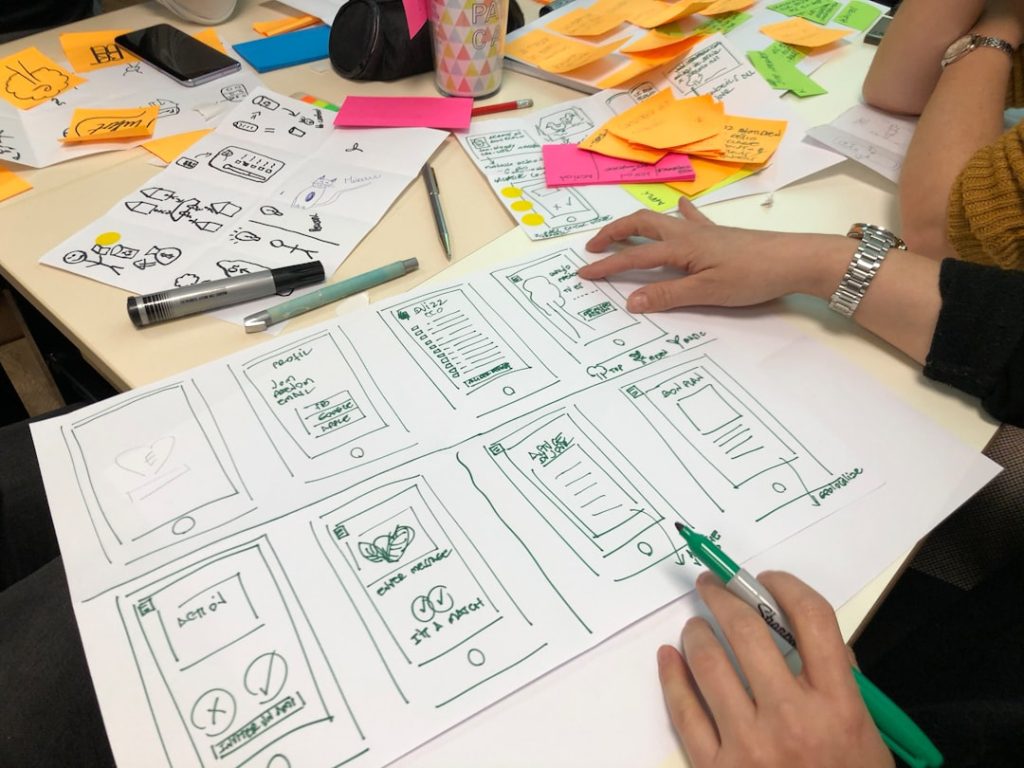
Creating User-Centric Experiences: A Complete Guide In the constantly changing field of digital design, it is critical to comprehend the needs and objectives of users. It’s crucial to thoroughly examine the expectations & driving forces of your audience as you set out to create user-centric experiences. In addition to guiding your design decisions, this fundamental stage lays the groundwork for a product that appeals to users personally. First and foremost, you should carry out in-depth research to learn more about your target audience. You can determine their preferences, behaviors, and pain points by using usability testing, surveys, and interviews.
Key Takeaways
- Understanding user needs and goals is essential for creating a user-centered design.
- Creating intuitive navigation helps users easily find what they are looking for on a website or app.
- Consistency in design elements, such as color schemes and typography, creates a cohesive and professional look.
- Prioritizing accessibility and inclusivity ensures that all users, regardless of ability, can access and use the product.
- Streamlining interactions and workflows simplifies the user experience and increases efficiency.
- Testing and iterating for continuous improvement allows for ongoing refinement of the design based on user feedback and data.
Direct user interaction can help you find important information that analytics alone might miss. Knowing their objectives will help you make design decisions and make sure you are successfully meeting their needs, whether those objectives are to find information quickly or finish a task efficiently. Making user personas based on your findings is also essential. These personas are made-up depictions of your typical users that capture their traits, drives, and difficulties. You can maintain a user-focused approach that puts their needs first by keeping these personas in mind during the design process.
Because users will feel that their needs are being meaningfully met, this understanding will not only increase user satisfaction but also encourage loyalty. Developing user-friendly navigation is the next stage after you have a firm understanding of user objectives and needs. The foundation of any digital experience is navigation, which determines how users engage with your material and how simple it is for them to locate what they’re looking for. It’s important to make sure users can easily navigate your application or website without getting frustrated or lost.
To do this, think about giving your navigation system a logical & unambiguous structure. Utilize well-known terminology that appeals to your audience and group related content together. For example, if you’re creating an online store, categories like “Accessories,” “Men’s Clothing,” & “Women’s Clothing” ought to be clear. Also, by using breadcrumbs, users can better understand where they are in the site hierarchy and take necessary backtracks.
| Metrics | Data |
|---|---|
| User Engagement | Time spent on the website/app |
| Conversion Rate | Percentage of visitors who complete a desired action |
| User Satisfaction | Feedback ratings and reviews |
| Task Success Rate | Percentage of users who successfully complete a task |
| Usability Testing Results | Number of usability issues identified and resolved |
Including a robust and intuitive search function is another smart move. Instead of looking through several categories, users frequently prefer to search for particular items. The user experience can be improved by offering an effective search bar with filters and autocomplete suggestions. Recall that the objective is to streamline the navigation process by reducing the number of clicks needed to access desired content.
Visual Coherence. This entails keeping your design’s colors, fonts, button styles, and iconography consistent. To accomplish this uniformity, create a style guide that lists the precise design components you’ll employ. Color schemes, typeface selections, spacing recommendations, and any other pertinent information that supports your brand identity should all be included in this guide.
Beyond Visual Design: Consistency. Consistency includes interaction patterns in addition to visual design. Because they have used your application before, users ought to be able to anticipate how certain elements will act. When a button is hovered over on one page, for instance, it ought to change color on all pages.
Improving Usability. By lowering cognitive load & improving usability, this predictability frees users from having to figure out how to use your interface and lets them concentrate on their work. Maintaining a consistent design makes sure that each page or screen feels like a single, cohesive whole rather than a collection of different components. Prioritizing inclusivity & accessibility in the diverse digital landscape of today is not only a best practice, but also a requirement. Think about the different ways users, such as those with disabilities or diverse cultural backgrounds, may interact with your product when designing it. In addition to adhering to legal requirements, making your design accessible to all users broadens your audience.
The Web Content Accessibility Guidelines (WCAG) and other established accessibility guidelines should be followed first. For all users, these guidelines offer a framework for producing content that is robust, perceivable, operable, and understandable. For example, make sure that images have screen reader-friendly alt text and that text has enough contrast with its background to be readable.
Think about adding features that address a range of user requirements as well. For people who are blind or visually impaired, this can mean different text sizes or keyboard navigation for those who are unable to use a mouse. When you actively solicit input from people with disabilities throughout the design process, you can spot possible obstacles & make the required changes to make the experience more inclusive.
Improving user satisfaction and efficiency requires streamlining interactions and workflows. Users frequently look for smooth experiences that allow them to complete tasks fast and without needless complications or interruptions. Analyze the standard processes related to your product & pinpoint any potential points of friction to accomplish this. Simplifying forms by reducing the quantity of fields needed to be filled out is one efficient strategy.
Longer forms are more likely to be abandoned by users, so concentrate on gathering only the most important data. Also, think about adding features like progress indicators or auto-fill to help users navigate multi-step processes with ease. Giving users unambiguous feedback while they are acting is another crucial component of simplifying interactions. Users ought to be notified right away that their action was successful, whether they are filling out a form or making a purchase.
This can be accomplished by using visual cues like success messages or loading animations. You can increase users’ trust in your product by providing them with information at every stage of their journey. The final step in creating user-centric experiences is testing and iterating for continuous improvement. Design is a continuous process that needs to be reviewed and improved upon in response to user input and behavior analysis. You can make sure that your product changes to meet user needs by using an iterative approach.
To see how actual users interact with your design, start by conducting usability testing. This can highlight problems or areas of misunderstanding that might not have been noticeable in the early stages of design. As users explore your product, encourage them to think aloud. Their opinions can yield priceless information for future developments. After gathering input, rank the changes according to how they will affect the user experience.
After each iteration, carry out additional testing & apply these modifications in tiny steps. By taking an agile approach, you can minimize disruption to current workflows and quickly adjust to user needs. In conclusion, creating user-centric experiences necessitates a thorough comprehension of user objectives & needs, user-friendly navigation, consistent design elements, a focus on inclusivity and accessibility, efficient interactions and workflows, & a dedication to ongoing improvement via testing & iteration. In an increasingly cutthroat digital market, by adhering to these guidelines, you can produce goods that not only fulfill but also surpass consumer expectations, encouraging satisfaction and loyalty.
If you are interested in learning more about user experience (UX) design, you may also want to check out this article on the ultimate guide to website components. Understanding the different elements that make up a website can greatly enhance your ability to create a seamless and intuitive user experience for your audience. By incorporating these components effectively, you can improve the overall usability and functionality of your website.
FAQs
What is user experience (UX) design?
User experience (UX) design is the process of creating products, such as websites or applications, that provide meaningful and relevant experiences to users. It involves understanding the users’ needs and behaviors in order to create a seamless and enjoyable interaction with the product.
What are the key principles of UX design?
The key principles of UX design include understanding the user, designing for usability, providing a seamless experience, focusing on accessibility, and continuously iterating and improving the design based on user feedback.
Why is UX design important?
UX design is important because it directly impacts how users interact with a product. A well-designed user experience can lead to increased user satisfaction, higher engagement, and ultimately, better business outcomes.
What are some common UX design methods and techniques?
Common UX design methods and techniques include user research, persona development, user journey mapping, wireframing, prototyping, usability testing, and iterative design.
What are the differences between UX design and UI design?
UX design focuses on the overall experience of the user, including the usability and functionality of the product. UI design, on the other hand, is more concerned with the visual and interactive elements of the product, such as the layout, colors, and typography.
How does UX design impact business success?
A well-designed user experience can lead to increased customer satisfaction, higher conversion rates, lower bounce rates, and ultimately, better business performance. It can also help build brand loyalty and positive word-of-mouth referrals.